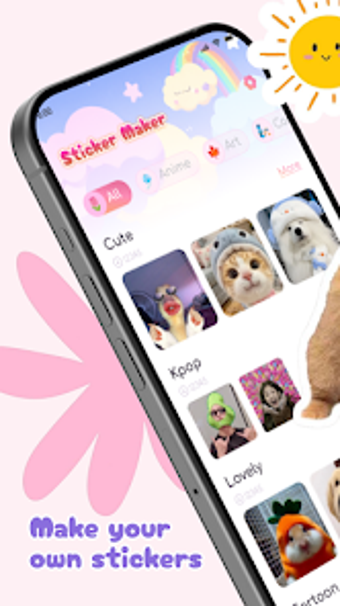
Make custom messaging stickers from photos on Android
Create high-resolution stickers from your photos using one-tap background removal and manual cut tools, plus text, emojis and effects. Stickify: Sticker Maker, from PhucHuynh81, targets messaging and social sharing, offering smart erasure, precise shape controls and pack management. The app highlights export to messaging platforms and gallery, appealing to social media hobbyists, casual creators, and anyone who wants personalised stickers for daily chats and posts.
Turn phone pictures into finished stickers with precise cutouts
The app turns a gallery photo into a sticker by combining an automatic background remover with manual tools such as a magic wand and free-hand cut controls. Automatic and manual masking lets you remove backgrounds and then refine edges, and the preview shows high-resolution output before saving. This workflow suits users who edit single images on the device and want a final sticker-ready file without moving to desktop software.
Export and pack management fit messaging workflows
Sticker pack management organizes creations into named collections and adds author details, then the app exports packs directly to supported messaging platforms or saves images to the device gallery. Pack-level organization helps you assemble themed sets for chats, while direct export removes an extra transfer step. The app therefore integrates with daily messaging use by keeping stickers grouped and ready to send.
Controls, effects, and lightweight performance for casual creators
The editor provides text fonts, emojis, and special effects for decoration, so you can personalise stickers without external tools. The description notes lightweight performance optimised for a variety of Android devices, which matches an editing flow that runs on midrange phones. Beginners can use one-tap background removal; those who prefer detail have fine-grain cutting tools available.
Privacy and platform requirements are straightforward
The app runs on Android and requests access to images to create stickers, and it exports files to the gallery or messaging apps. The listing specifies a compatible Android version on the store, so setup depends on that device requirement. The developer focuses on mobile sticker and photo editing utilities, which explains the app's on-device image handling and share-oriented output.
To sum up, a practical sticker studio for casual creators
To sum up, Stickify suits messaging-focused creators and hobbyists who want on-phone sticker production and organised packs for daily chats. It offers quick background removal and pack exports for hands-on sharing; note that device compatibility depends on the Android version specified in the store. If you want fast, phone-native sticker creation for social use, this app fits that routine well.